
Blog
How to Block Out Christmas and Holiday Dates in Shopify (So Customers Can't Order When You're Closed)
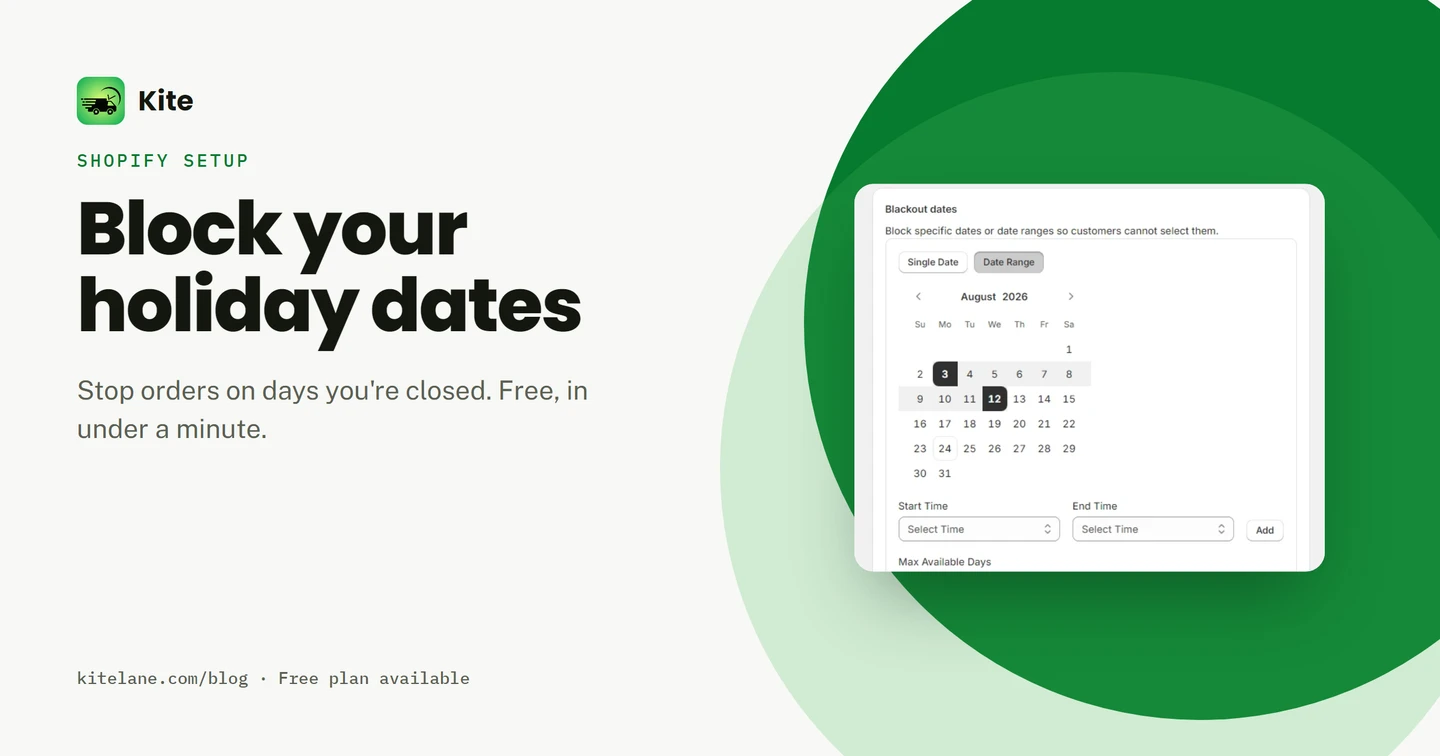
It’s December 24th. An order comes in for pickup, this afternoon. You’re closed until the 27th.
Now you’re refunding the order. Or texting a customer to explain why their cake isn’t coming, on the one day you don’t have time for either.
Shopify can’t stop this on its own. There’s no setting for “we’re closed on this date.” You’ll see why below, then fix it with Kite, a free Shopify app, in a few minutes.
Key takeaways
- Shopify has no native way to close a specific date for delivery or pickup. Zones and processing time, yes. A calendar block, no.
- With Kite, you block a single date or a whole range, like December 24 to January 2. A blocked date greys out on the calendar and can't be selected.
- Blackout dates are on every Kite plan, including Free, up to 30 orders a month.
This guide is for you if:
- You close for Christmas, another holiday, or your own regular day off
- You've had a customer order for a day you weren't fulfilling
- You want the closed dates gone from the calendar, not just explained after the fact
- You want this working before your next closure, not after the next mix-up
It’s not just a bakery problem
A Christmas cake order is the clearest version of this. But the same failure hits anyone who sells a date, not just a product.
-
Grocers and butchers: a public holiday takes your whole delivery route offline. Your storefront doesn't know that, so it keeps taking orders.
-
Florists: a customer books a Valentine's Day delivery on the one day you've already blocked for restock. You find out after they've paid.
-
Bakeries: Christmas Eve and Christmas Day, the two days you're guaranteed to be closed and guaranteed to get orders anyway.
The shop changes. The failure doesn’t: your storefront let a customer pick a day you were never going to fulfill. Kite handles all three the same way — see how it fits your setup.
What Shopify’s delivery and pickup settings can’t do
Go to Settings → Shipping and delivery. You can set zones, pricing, and a rough processing time. You can’t close a date.
Shopify has no blackout calendar. If a customer’s browser shows tomorrow as an option, tomorrow is an option, whether or not you’re actually open.
Shopify does let you pause the whole store, sometimes called vacation mode, through its own vacation settings. That closes everything, not just one date, so it solves a different problem than a single blocked date.
$0
Free plan, up to 30 orders a month
Blackout dates included on every plan
That’s the gap Kite closes. Here’s a merchant who ran into exactly this, before Kite:
"The problem I had was customers placing an order on a Friday or Saturday and thinking they could pick up the next day. Shopify doesn't have any way to control the pickup dates."
How to block a holiday date with Kite
Once Kite is installed, here’s how you block a date:
- Go to Settings → Pickup & Delivery inside Kite.
- Scroll to the Blackout dates card. It sits under your delivery and pickup settings.
- Choose Single Date or Date Range. Single Date blocks one day. Date Range blocks a stretch, like December 24 through January 2.
- Pick the dates on the calendar and select Add. The block applies to every time slot on that date, right away.
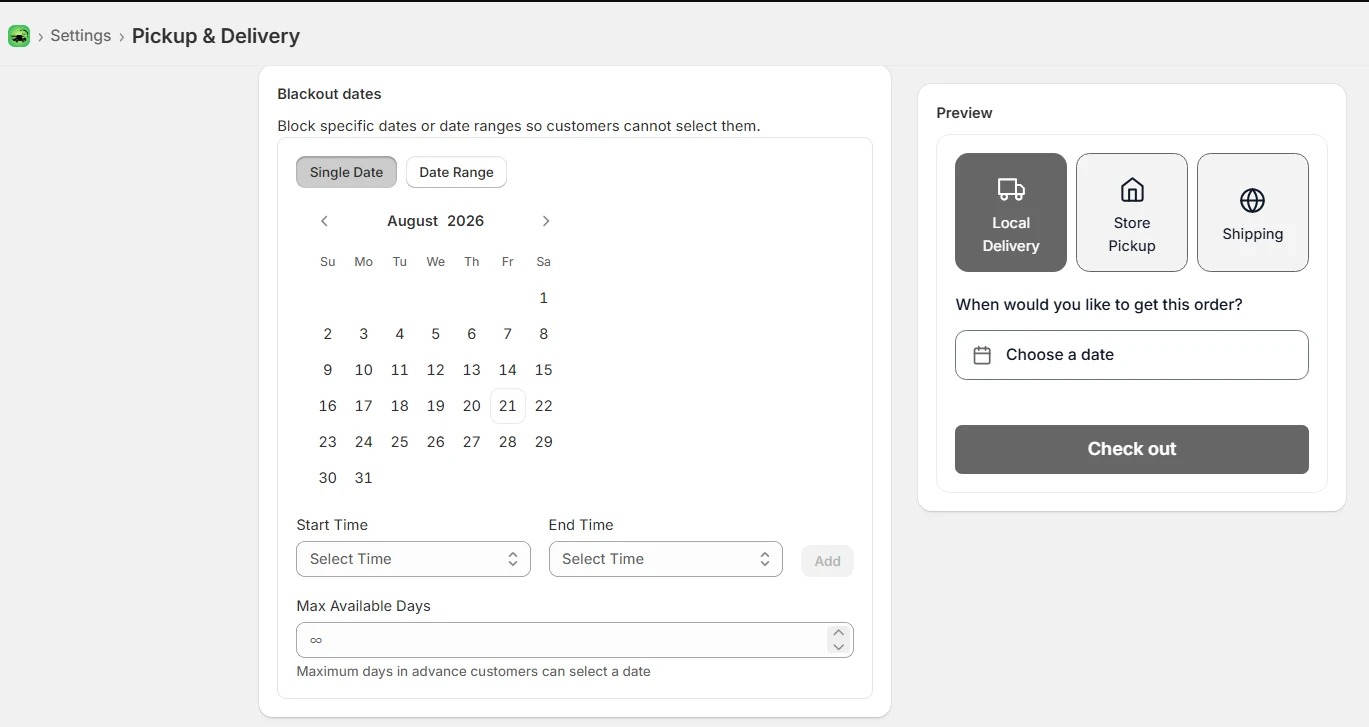
Switch to Date Range mode and you can block a whole stretch in one move, like a Christmas closure:
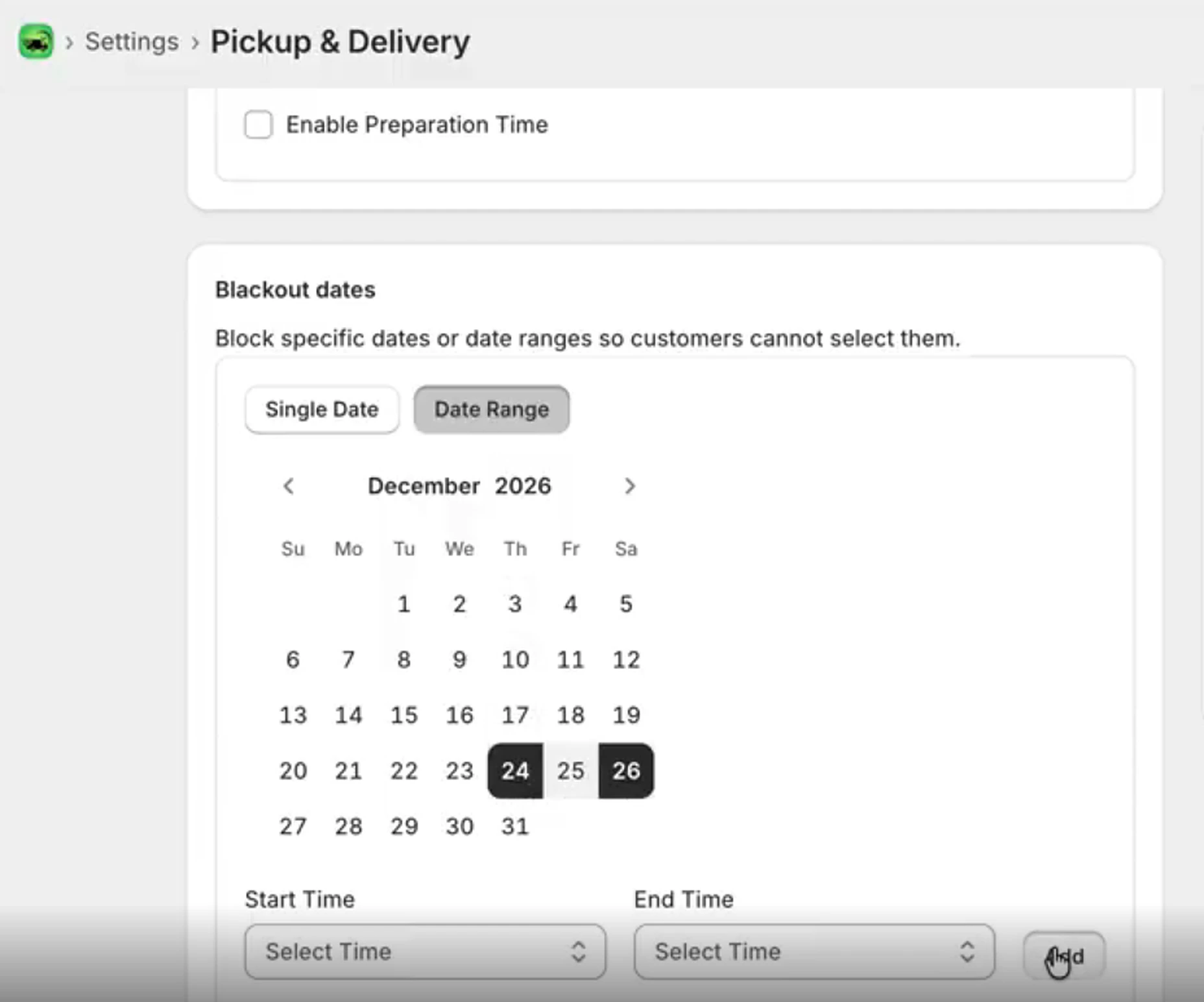
No code. No theme edit. The block runs on every date and time slot on your storefront calendar from that point on.
If you get stuck, live chat support walks you through it. Here’s a merchant who used exactly that:
"Was having a bit of trouble with our initial set up and having a bit of trouble existing delivery customisation apps. But Sidarth took his time to help us work through some of the issues and get everything set up. Thanks for all your help Sidarth!"
Useful to know: the same card also has a Max Available Days field, set to unlimited by default. That’s a different job: it caps how far ahead a customer can book, not which days are closed. Leave it alone unless you’re also trying to stop people from ordering three months out.
What the customer sees
A blocked date turns grey on the calendar instead of the normal dark text every open date gets. It can’t be clicked, and there’s nothing to misread. Here’s the same real calendar, before and after a Christmas closure is blocked from December 24 to 26:
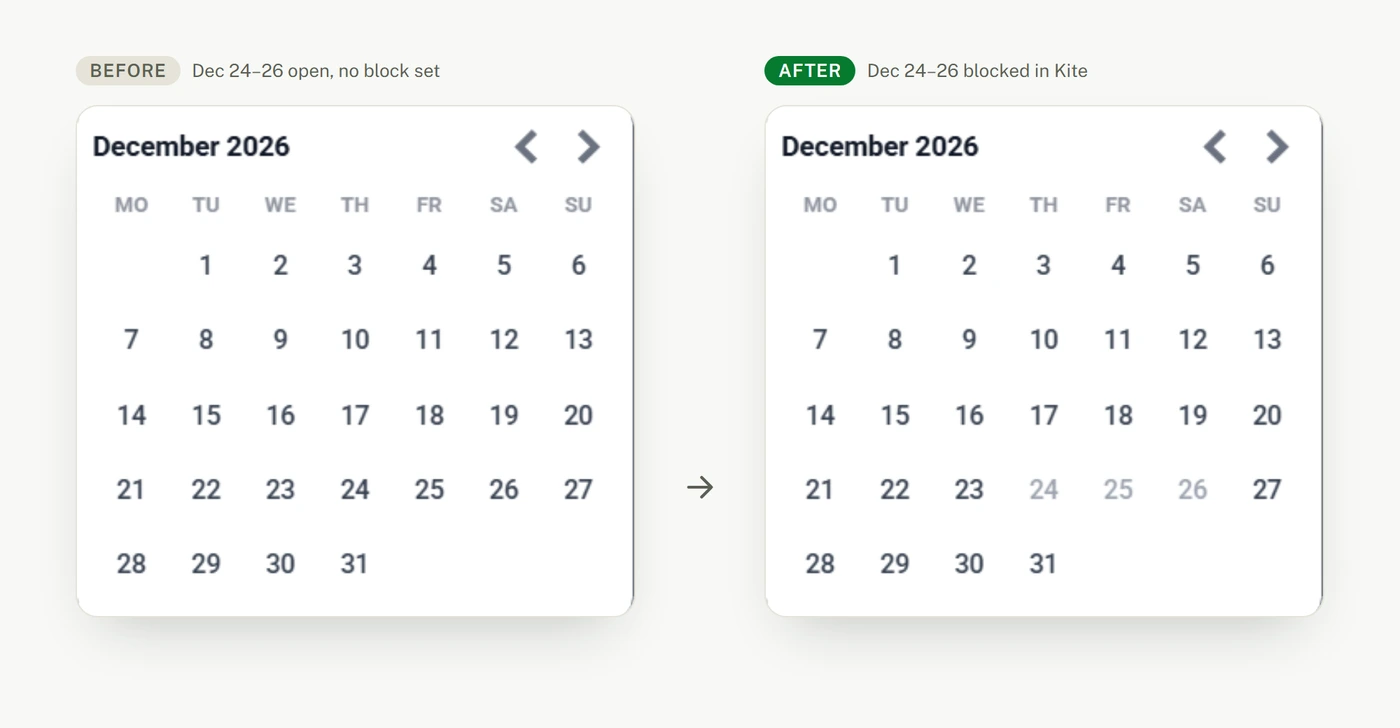
Every other date keeps its normal weight and stays clickable. Only the blocked range changes.
Here’s the same thing on a different real store, no edits at all this time. Christmas Eve, Christmas Day and Boxing Day are already greyed out on the live cart:
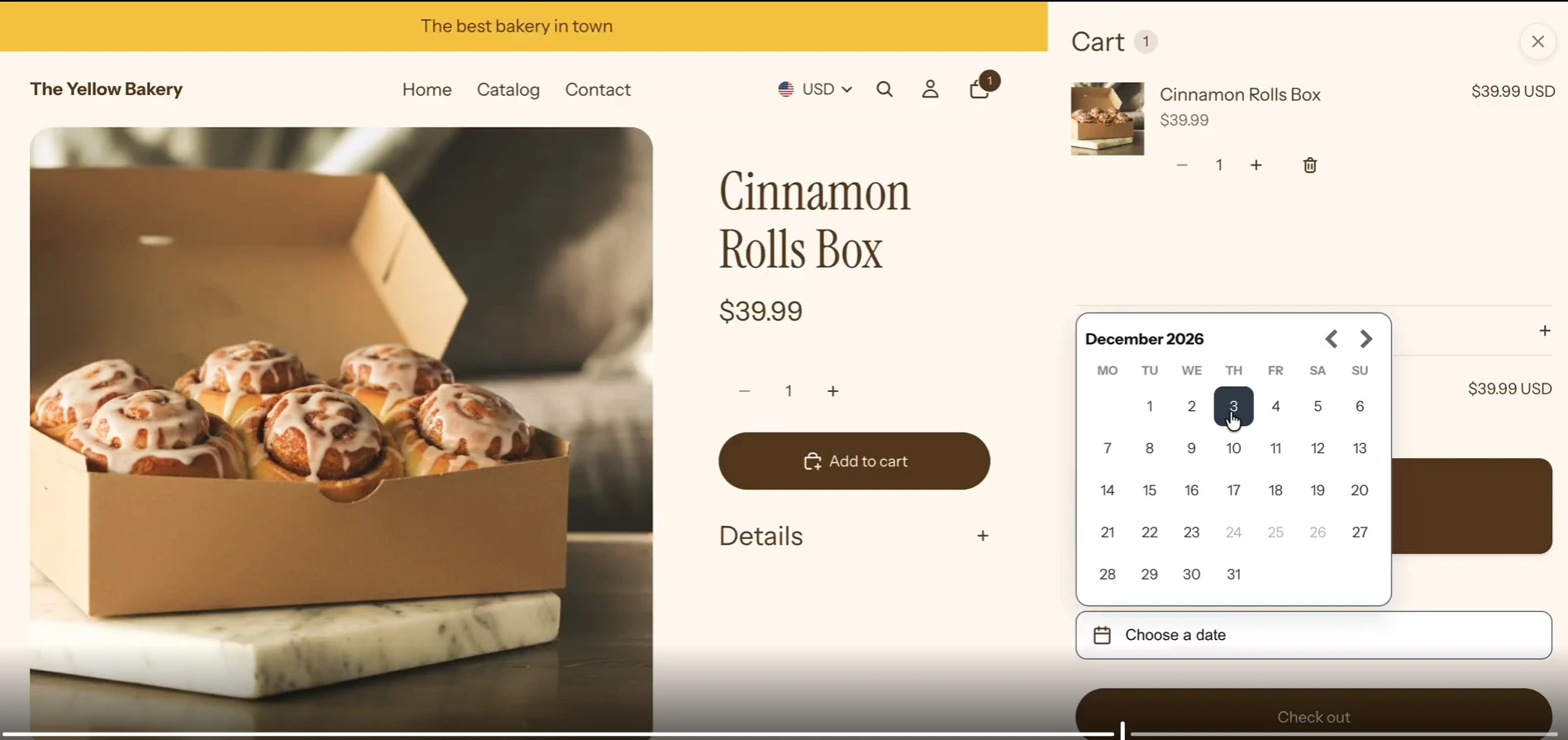
This is the same calendar your customer works from at checkout, right inside the cart. The sequence behind it is simple:
Customer opens the calendar
Every date renders as normal.
Blocked dates grey out
Dec 24–26 show, but can't be picked.
Customer picks an open date
Only fulfillable days are selectable.
You get a valid order
No refund, no message, no manual fix.
Common mistakes when blocking holiday dates
1 Blocking the holiday, forgetting the day before or after
A Christmas closure often isn't just December 25th. If you're not fulfilling on the 24th or 26th either, block the whole stretch.
How to fix: use Date Range mode and block the full closure in one pass, not one date at a time.
2 Setting it once and never coming back
A blocked date from last Christmas doesn't roll over to this one. Holidays move. Your calendar needs a fresh look each season.
How to fix: put a repeating reminder on your own calendar to update Kite's blackout dates before each holiday season.
3 Blocking the calendar, but not your other channels
Kite stops the order. It doesn't stop the DM. A customer can still message asking about a day you've blocked if your auto-reply, social bio, or away message hasn't caught up.
How to fix: update your closure dates everywhere a customer might check, not only in Kite.
4 Assuming a new block cancels an order already placed
A blackout date stops new selections. It doesn't reach back and cancel an order that came in before you added the block.
How to fix: check your existing orders for that date by hand the first time you add a late block.
5 Treating every peak day like a closed day
Valentine's Day or Mother's Day usually isn't a closure. It's a demand spike. Blocking it means turning away orders you could have taken.
How to fix: for a busy day you can still fulfill at a lower volume, use order limits instead of a blackout date. Order limits are on Kite's Advanced plan, $9.99 a month.
Closing it out
Blocking a holiday date takes less time than answering the message that comes in when you skip it. Your customer still sees a clean, working calendar — they just don’t see the days you’re closed, and once it’s set, neither do you.
If you’re closing for Christmas, a public holiday, or your regular day off, set this up before the next one arrives, not after the next mix-up.
Frequently asked questions
Does Shopify let you block delivery or pickup on specific dates?
No. Shopify's native delivery and pickup settings control zones and rough processing time, not specific dates. There's no setting to close a date. On Kite, you can, starting on the free plan.
Can I block more than one day at a time?
Yes. Kite's Blackout Dates card has two modes: Single Date, for one day at a time, and Date Range, for a stretch like December 24 to January 2.
Is blocking holiday dates part of the free plan?
Yes. Blackout dates are on every Kite plan, including Free, up to 30 orders a month.
Can I block a date for one product only, and leave the rest of my store open?
Not on Free. Holiday availability set per product is on Kite's Advanced plan, $9.99 a month.
What's the difference between Blackout Dates and Max Available Days?
Blackout Dates closes specific days. Max Available Days is a separate setting in the same section. It caps how far in advance a customer can book, not which days are open.
Does this pause my whole store for vacation?
No. Blackout dates stop customers from picking specific delivery or pickup dates. Your store stays open and browsable. To close the whole store for what Shopify calls vacation mode, use its own store status settings instead.
Ready to add exact delivery and pickup times?
Date and time slots, prep time, cut-offs, and blackout dates, all on the free plan.